
The fastest way to answer "how many carbs is this?"
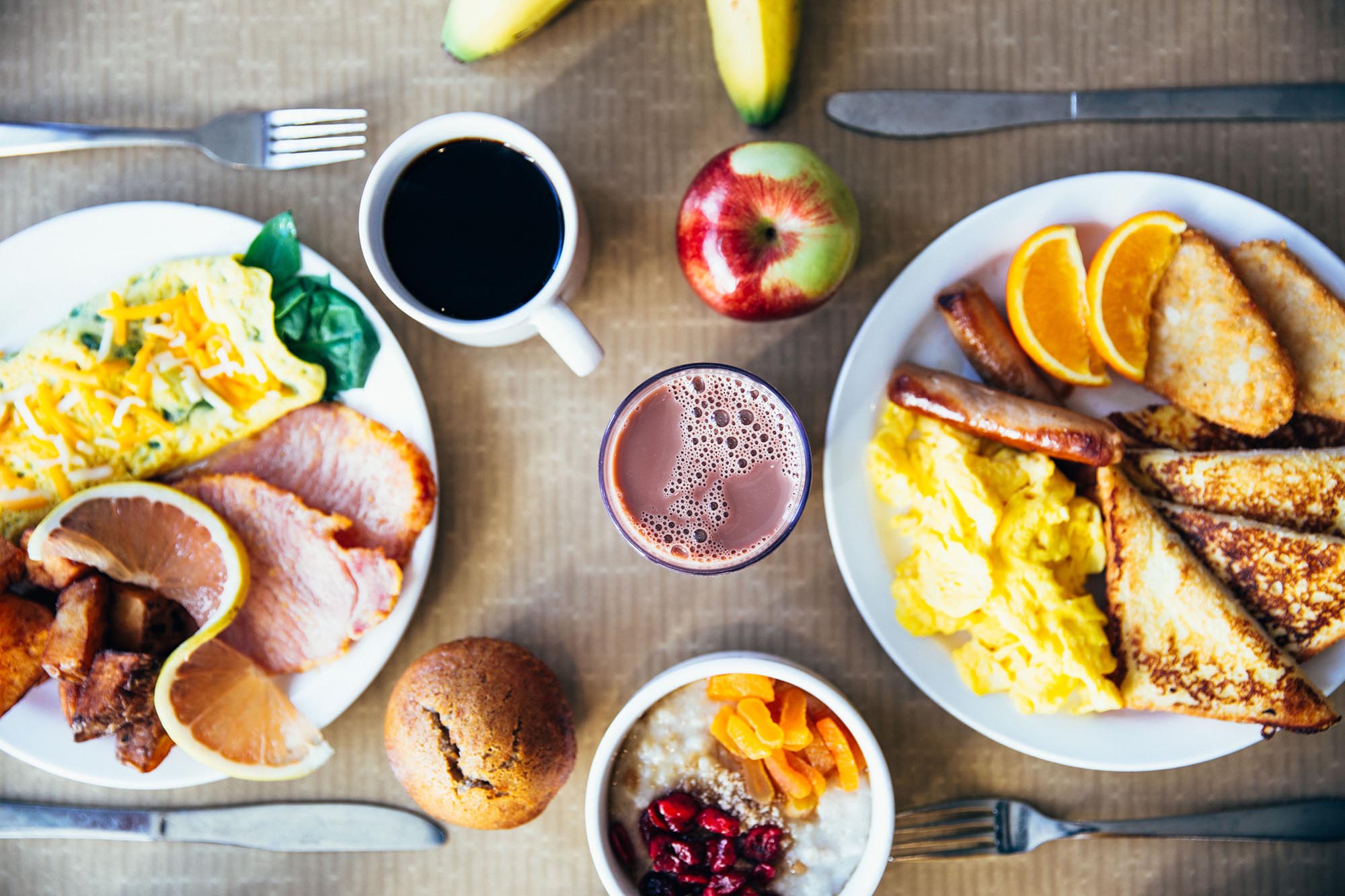
Take the breakfast table above. Counting it by hand means naming every item, guessing every portion and looking each one up. A typical cup of cooked oatmeal has about 28 grams of carbs, a medium banana about 27 grams and a cup of reduced-fat chocolate milk about 30 grams (USDA FoodData Central). That is three lookups before you even reach the French toast, the orange slices and the muffin.
Most people give up on carb counting right here. Not because the math is hard, but because it takes five minutes per meal and the meal is getting cold. The fastest answer to "how many carbs is this?" is a carb photo: point your phone at the plate, take one picture and let an AI carb counter do the naming, the portion guessing and the adding up for you.
That does not replace knowing your numbers. It is a shortcut to them. Every photo shows you what the carbs in a meal add up to, and after a few weeks you start to recognize the same plates at a glance. If you want the manual method as well, our guide on how to count carbs covers labels and portions step by step.
How AI photo carb counting works
Carb count AI is less mysterious than it sounds. Behind the scenes, an app like CarbScanner runs through the same steps you would, only much faster:
- Recognize the foods. The AI looks at the photo and identifies each item on the plate: the potatoes, the sauce, the bread roll on the side.
- Estimate the portions. It judges how much of each food is there, based on how big each portion looks in the photo.
- Calculate the carbs. Each item and portion is turned into grams of carbohydrate, and the items are added up into a total for the meal.
- Show the breakdown. You see the total carbs, the carbs per ingredient and a low, medium or high glycemic index rating for the meal as a whole, a quick hint at how quickly it releases its energy. Our guide explains fast carbs and slow carbs in more detail.
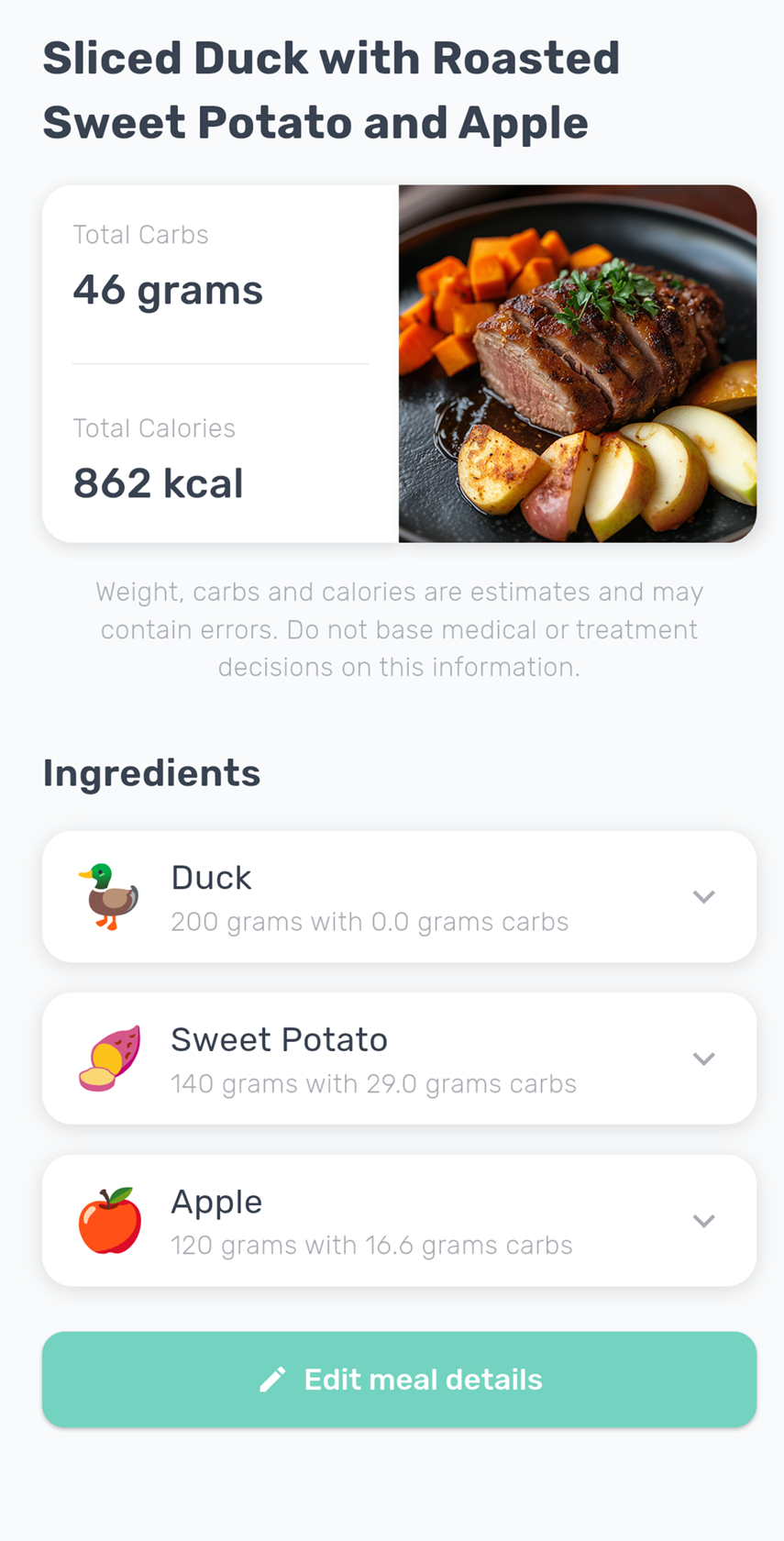
Here is what that looks like in CarbScanner. The meal gets a name and a carb total, and underneath is a list of every ingredient with its estimated weight and carbs. That list is the useful part: when a number looks off, you can see exactly which food it comes from.
How accurate is AI carb counting?
Honest answer: a photo gives you an estimate, not a lab result. The app can only count what it can see, and it has to judge portion sizes from a flat image. A plate where every food is clearly visible and separated gives the app the most to work with. The more a meal hides, the more room there is for error. A few things cause most of the variation:
- Hidden ingredients. Oil and butter barely change the carb count, but sugar in a dressing, a sweet glaze or honey in a marinade does, and none of them show up well on camera. A single tablespoon of honey adds about 17 grams of carbs.
- Portion depth. A photo shows the surface, not how deep the bowl is. A cup of cooked white rice has about 45 grams of carbs, so a bowl holding one and a half cups has closer to 68 grams, even if both look similar from above.
- Mixed dishes. Casseroles, stews, curries and burritos hide their ingredients inside each other. The app sees the dish, not the recipe.
- Preparation. Recipes, breading and cooking methods vary from kitchen to kitchen, and a photo cannot always tell them apart.
This is why the breakdown matters. If you know you had a bigger serving, or that the salad came with a sweet dressing, you can adjust items and portions so the estimate matches what is actually on your plate. Treat every carb count as an estimate, whichever way you get it, and aim to count the same way every time. Consistency makes your numbers comparable from day to day, even when a single meal is a few grams out.
Tips for a better carb photo
A few small habits make a real difference to how close the estimate gets:
- Get the whole plate in the frame. A side of bread or a drink that is cut off is a side that is not counted.
- Shoot from slightly above. An angle from above shows every food on the plate, while a low side angle lets tall items hide the rest.
- Use good light. Daylight or a bright room helps the AI recognize foods. Dim restaurant lighting and heavy shadows make it harder.
- Photograph before you eat. A full plate is much easier to judge than a half-eaten one.
- Keep sauces visible when you can. Dressing on the side is easier to spot than dressing mixed through a salad.
- Check the breakdown. Take a few seconds to scan the ingredient list and adjust anything the photo missed or misjudged.
Photo vs barcode vs weighing
A carb photo is the fastest option for a real plate of food, but it is not the only tool, and it is not always the best one. Each method has a place:
| Method | Best for | Precision | Effort |
|---|---|---|---|
| Photo estimate | Home cooking, restaurant plates, mixed meals | An estimate you can review and adjust | One photo |
| Barcode scan | Packaged foods and drinks | Open Food Facts data per 100 g, check the serving | One scan |
| Weighing | Foods you eat often, learning portions | The most precise, with a good database | A scale and a lookup per food |
Use a photo for anything without a label: home cooking, restaurant meals, a plate at a friend's house. It is the only method that handles a whole mixed meal in one go.
Use the barcode for packaged food. CarbScanner looks up the carbs per 100 g in the Open Food Facts database, so you are not relying on a photo estimate. Coverage is best for common retail products. Always check the serving size and match it to what you eat: a can of regular cola has about 38 grams of carbs, and two cans have twice that.
Weigh when you want the most precise number, or when you are learning what your usual portions look like. A kitchen scale plus a nutrition database is slower, but a few weeks of weighing the foods you eat most trains your eye for every photo that follows. Our carbs in food chart lists typical portions for 100 common foods to get you started.
In practice, most people combine all three: photos for plates, barcodes for packages, and the occasional weigh-in to keep their sense of portions honest. If you are deciding which app to use for this, see our comparison of the best carb counter apps.
Source for the food carb values on this page: USDA FoodData Central (fdc.nal.usda.gov), SR Legacy, typical portions as listed in our carbs in food chart.