
The Carb Counter App That Reads Your Plate
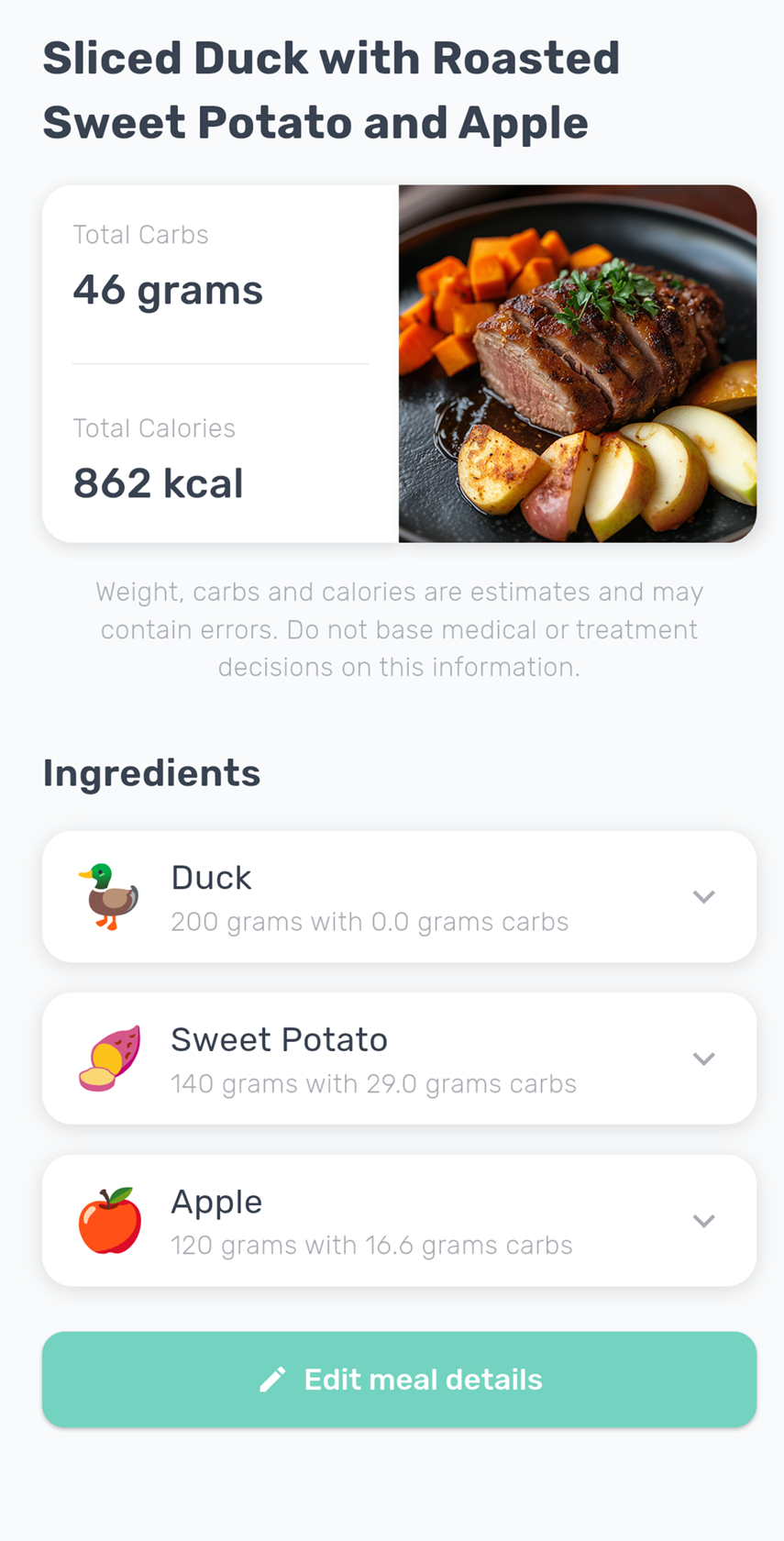
Snap a photo of your meal and CarbScanner estimates the carbs for you: total carbs, an ingredient breakdown, and a glycemic index rating for the meal. Scan a barcode for packaged food. No searching, no manual counting.
Why Choose CarbScanner?
CarbScanner helps you estimate carbs faster and stay consistent, whether you're meal planning, tracking nutrition, or just trying to eat more mindfully.
Instant Carb Recognition
Take a photo of any meal and get a carbohydrate estimate in seconds using our advanced AI.
Glycemic Index Insights
Get a low, medium or high glycemic index rating for each meal you photograph, to compare how quickly different meals release their energy.
Barcode Scanner
Scan the barcode on a packaged product and CarbScanner looks up its carbs per 100 g in the Open Food Facts database. Just check the serving size.
Portion & Serving Adjustments
Quickly adjust serving sizes so the carb estimate matches what’s actually on your plate.
How CarbScanner Works
Our intuitive three-step process makes counting carbs quick, easy, and consistent.
Photo or Barcode
Snap a quick picture of your meal, or point the camera at the barcode on a packaged product.
AI Analysis
For a photo, our AI identifies each food item and estimates its carbohydrate content. For a barcode, the app looks the product up in the Open Food Facts database.
Get Results
Review total carbs. For a photo, you also get an ingredient breakdown and a glycemic index rating for the meal.
Ready to Make Carb Counting Easier?
Join thousands of users using CarbScanner to estimate carbs faster and make more informed food choices.
What Our Users Say
Hear from people who use CarbScanner to stay consistent and make food tracking simpler.
"I just wanted to say the changes to the app are great. Being able to change an item if it’s not correct, and the insights about protein, carbohydrates, and sugar release are amazing. It’s so useful. Really love the app."
Catherine D.
Verified app user
"You might not realize it, but you just improved the quality of my life!"
Dave R.
Verified app user
"I think this is a great app that can help many people. What I like about your app is mostly its simplicity. It’s very easy to use. Thank you very much!"
Avraham M.
Verified app user
Frequently Asked Questions
Find answers to common questions about CarbScanner and how it helps with carb counting.
CarbScanner provides a best-effort carb estimate based on what it can identify in your photo and the portion size. Results can vary depending on recipes, mixed dishes, lighting, and how the food is prepared. You can review the breakdown and adjust items or servings to match what you ate.
Learn More About Carbs
Practical guides to help you understand carbs, read labels, and build habits that stick.
How to Count Carbs: A Beginner's Guide
Learn how to count carbs step by step: read nutrition labels, estimate portions, spot carb-heavy foods, and use the glycemic index to tell fast from slow carbs.
Best Carb Counter Apps in 2026, Compared
An honest comparison of the best carb counter apps in 2026: photo scanning, barcode scanning, food databases, GI info, and which app fits which kind of eater.
Carbs in Food Chart: 100 Foods, Printable
A carb chart with carbs per typical portion for 100 common foods: bread, pasta, rice, fruit, vegetables, dairy, snacks and drinks. Printable, sourced from USDA.
Glycemic Index Chart: Low vs High GI Foods
What the glycemic index is, how GI differs from glycemic load, and a chart of low, medium and high GI foods to tell fast carbs from slow carbs at a glance.
Net Carbs Calculator: Net vs Total Carbs
What net carbs are, how they differ from total carbs, and a simple net carb calculator: subtract fiber and sugar alcohols from total carbs in seconds.
How Many Carbs Are in This Meal? Ask a Photo
Wondering how many carbs are in your meal? Learn how AI photo carb counting works, how accurate it is, and how to get a carb estimate for any plate in seconds.
Contact Us
Have questions or feedback? We'd love to hear from you. Send us a message and we'll respond as soon as possible.
Email Support
info@carbscanner.com
Response Time
Usually within 24 hours